
Consumer Curiosity – Habit Tracking
Add it to your home screen 📱
Pop the tracker on your phone's home screen so it's one tap away — just like an app. Here's how, in four steps. We'll also walk through this together in the workshop.
1
Open in Safari
Open your personal link in Safari on your iPhone (Chrome on Android works too).
2
Tap the Share button
It's the square with an arrow pointing up — at the bottom of the screen on iPhone, or the ⋮ menu on Android.
3
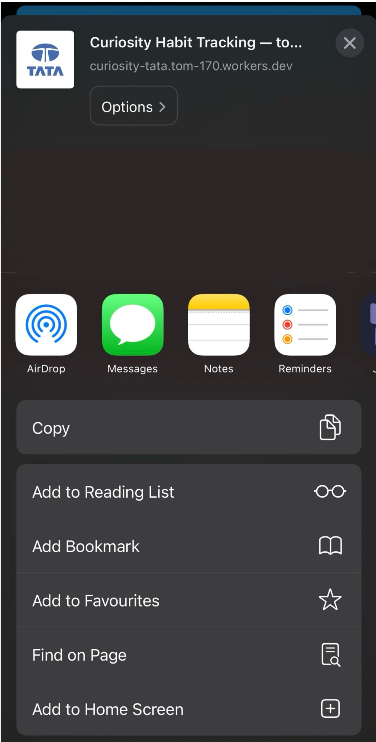
Choose “Add to Home Screen”
Scroll down the share sheet and tap “Add to Home Screen”.
4
Tap “Add”
Name it “Curiosity” and tap Add. The icon now sits on your home screen like an app.